Get Started Free

Convert Image to 3D Model Online

Instantly convert images to 3D models with industry-leading topology and PBR texture maps.

TextureNot available in Fast mode
OFF
Estimated Cost
20 Credits

Interactive Preview

Your generated 3D model will appear here. You can rotate, zoom, and inspect it in real-time.

Professional Image to 3D Quality

Advanced image to 3D technology delivers clean topology and studio-quality geometry. No manual cleanup needed—models are ready for rendering, animation, or 3D printing straight out of the box.

1

Clean Manifold Geometry

Watertight meshes with proper edge flow, optimized for any 3D workflow

2

High-Fidelity Surface Detail

Preserves fine features and textures from your source images
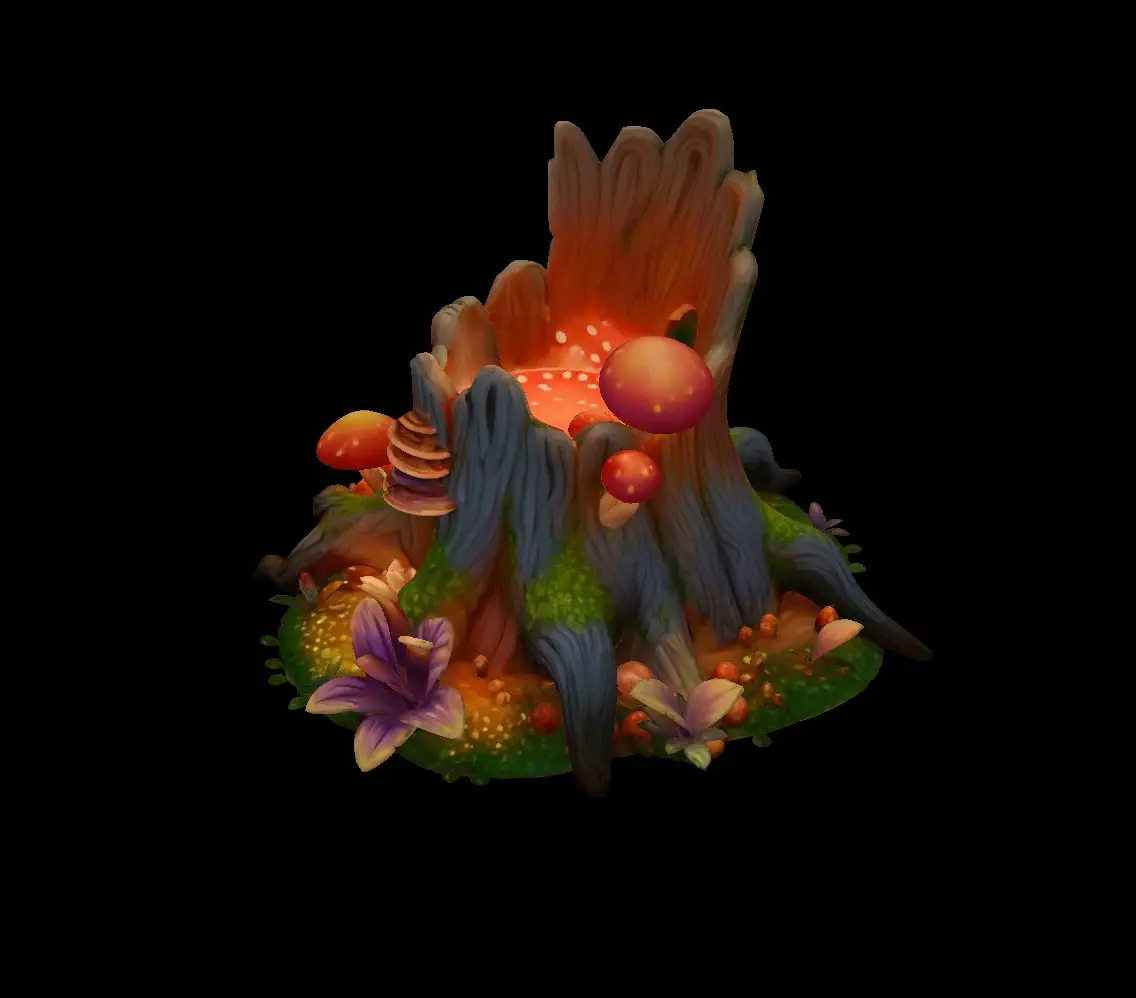
3D model preview

Image to 3D in Action

High-quality 3D models generated from photos in minutes. Our image to 3D technology delivers production-ready geometry and textures

Why Choose This Image to 3D Solution

Advanced AI technology for seamless 3D model generation

Lightning-Fast Generation

This image to 3D engine prioritizes speed and efficiency. Convert photos in 20-40 seconds with Fast mode, or get ultra-detailed results in under 3 minutes. No waiting, no complexity.

Flexible Quality

Choose between Fast (~20s), Pro (~30s), or Ultra (~2min) based on your project needs.

PBR Texture Maps

We don't just convert images to 3D. We bake Albedo, Normal, Roughness, and Metallic maps directly from your image for realistic lighting interactions.

Universal Export

Full support for standard formats: GLB, OBJ, STL, GLTF, USDZ, and MP4.

How to Convert Image to 3D

Four simple steps to transform your photos into 3D models

Upload a single photo or multiple views for enhanced accuracy

Perfect for Every Creative Workflow

Discover how to convert images to 3D models for your projects

Game Development

Rapidly create 3D assets for game prototypes and production. The image to 3D workflow transforms concept art into playable models in minutes. Perfect for indie developers who need quick asset generation without extensive modeling time.

3D Printing

Turn product photos into printable models with image to 3D technology. Generate physical prototypes from reference images in under 3 minutes. Streamline your manufacturing workflow from concept to physical object.

Animation & VFX

Accelerate your animation pipeline with instant 3D asset creation. Import generated models into Maya, Blender, or Cinema 4D. Focus on creative direction instead of manual modeling.

AR & VR Experiences

Build immersive AR and VR environments with realistic 3D objects. Deploy models directly to Unity or Unreal Engine. Create engaging virtual experiences faster than ever.

Frequently Asked Questions About Imagen3D

Everything you need to know about image to 3D conversion

How long does it take to convert an image to 3D model?
Generation time varies by quality tier to match your urgency. Fast mode delivers results in approximately 20-40 seconds - perfect for quick concept verification. Pro mode completes in around 30 seconds with full texture support. Ultra mode, which provides the highest quality with advanced PBR materials, takes about 2-3 minutes. All options complete in under 3 minutes, making the image to 3D process significantly faster than traditional manual modeling.
Which quality tier should I choose for my project?
Choose based on your workflow needs: Fast mode is ideal for rapid iteration and concept previews when you just need basic geometry. Pro mode suits most production workflows, offering full texture control and multi-view support in 30 seconds. Ultra mode is designed for final deliverables where you need maximum detail, automatic textures, and optional PBR materials. Think of it as speed vs. features rather than just quality differences.
What file formats can I export after converting images to 3D?
We support all industry-standard formats: GLB (recommended for universal compatibility), OBJ (for traditional 3D software), STL (for 3D printing), GLTF (for web applications), USDZ (for iOS AR), and MP4 video previews. The platform automatically converts your model on-demand, so you can download the same model in different formats for various use cases without regenerating.
Do the generated 3D models include textures and materials?
It depends on your tier and settings. Fast mode produces clean white geometry without textures, ideal for previewing shape. Pro mode lets you toggle textures on or off - enable them when you need color and surface details. Ultra mode always includes high-quality textures by default, with an optional upgrade to PBR materials (including albedo, normal, roughness, and metallic maps) for photorealistic rendering when you convert images to 3D models.
Can I improve accuracy by uploading multiple photos?
Absolutely. Pro mode supports 3-4 images (front, back, left, and optionally right views), while Ultra mode works with 1-4 images. Multi-view input dramatically improves reconstruction quality, especially for complex objects, by capturing details from multiple angles. Single-image mode is great for quick results, but if you have photos from different angles, multi-view will give you significantly better geometry and texture accuracy in the image to 3D conversion.
Will the 3D model be perfect, or will I need to edit it?
Honest answer: our tool creates excellent starting points, not always perfect final assets. Most users can use the output directly for mockups, ads, and visualizations. For game production or precise manufacturing, you may want to refine topology, fix minor artifacts, or adjust UVs in Blender or similar software. We prioritize speed and usability - delivering a model you can immediately import and work with, saving hours compared to modeling from scratch.
What types of images work best for 3D conversion?
Best results come from clear, well-lit photos of single objects on simple/plain backgrounds. Products, furniture, vehicles, and everyday items work excellently. Use images at least 1024x1024 resolution (higher is better). Avoid overly complex scenes, transparent/reflective materials, or images with heavy shadows. For multi-view mode when converting images to 3D, ensure consistent lighting and angles across all photos.
What are PBR materials and do I need them?
PBR (Physically Based Rendering) materials provide realistic surface properties for professional rendering. Available only in Ultra mode, PBR includes albedo (color), normal (surface detail), roughness, and metallic maps. You need PBR if you're rendering in engines like Unity, Unreal, or advanced 3D software where lighting realism matters. For quick visualizations or 3D printing, standard textures from Pro mode or even Fast mode's geometry-only output are usually sufficient.
Do I own the commercial rights to the generated models?
Yes, completely. All 3D models generated from your uploaded images belong to you with full commercial rights. You can use them in client projects, sell them, include them in games, create marketing materials, or any other commercial application. However, you're responsible for ensuring you have rights to the original input images - don't convert copyrighted photos you don't own permission to use.
How do I import and use the model after converting image to 3D?
After generation, download your preferred format and import it directly into your software. For Blender: File > Import > select your format. For Unity/Unreal: drag the file into your assets folder. For web viewers: use the GLB format with Three.js or Model-Viewer. The models come with materials already applied, so they'll render immediately. You can then adjust lighting, apply animations, or refine geometry as needed for your specific project.

Ready to Convert Your Images to 3D?

Join thousands of creators using this image to 3D converter to bring their ideas to life. Start creating professional 3D models today.